
5 Best Credit Card Processors for Salons & Spas in 2026
The right credit card processor can mean the difference between losing revenue to hidden fees and no-shows—or running a streamlined business that protects every dollar. This guide compares the best credit card processors for salons in 2026, breaking down pricing structures, must-have features like booking integration and deposit collection, and which platforms actually deliver on their promises. Whether you're an independent stylist or managing a growing team, you'll find the insights you need to choose a processor that fits your business and keeps more money in your pocket.
Best credit card processors for salons compared: GlossGenius, Square, Stripe, StyleSeat, Vagaro. See fees, booking integration, deposits, and payouts.


Key takeaways
- The best credit card processors for salons (and other appointment-based businesses) combine low, transparent fees with booking integration and no-show protection
- GlossGenius offers a 2.6% flat rate with no hidden fees, while some competitors charge higher rates and/or add per-transaction fees.
- Look for processors that include deposits, rebooking prompts, and fast payouts to protect and grow revenue
- Salon-specific processors outperform generic options by integrating payments with scheduling, client management, and marketing
Being able to take payments from anywhere securely and efficiently is critical to the success of your salon business. From booking appointments to billing clients, there are several moving parts to manage as an owner.
There are many platforms and services that help business owners set up the administrative side of their business. In this article, we'll go over how to properly accept credit card payments as a salon owner and the best credit card processors currently available.
Try GlossGenius free for 14 days!
Quick comparison: Top salon credit card processors at a glance
Here's how the top 5 salon credit card processors compare on pricing, fees, and features:
What is salon credit card processing?
Salon credit card processing refers to the electronic payment system that allows beauty, wellness, and health businesses to accept credit and debit card payments from their clients. This system usually involves software and hardware, such as a physical credit card reader.
Credit card processing for salons has become essential because it’s a secure, efficient way for clients to pay. For salon owners, it also simplifies collecting digital payments and syncing income with expense tracking.
When hidden fees quietly drain your revenue—and no-shows wipe out hours you can't get back—the "right" payment processor isn't optional. GlossGenius pairs transparent pricing with deposits and rebooking tools designed to reduce no-shows.
So making sure you find the right payment processing solution is critical for the overall financial health of your business.
How to process card payments in a salon
Every salon or spa owner must know how to accept payments from clients. But the process of starting can feel overwhelming at first. The good news is there are plenty of options that simplify accepting and collecting payments.
Here are the steps for how to process card payments in a salon:
- Choose a payment processor: Before you start accepting payments, you need to set up a payment processor so you can stay organized with your finances. Most clients want to pay with a card instead of cash, so it's important to find a tool with easy checkout options.
- Get a physical card machine with NFC technology: Having a physical card reader that syncs with your payment processor is how you'll accept credit and debit cards in person. However, you want to find a card reader with NFC technology so you can enable "tap to pay" options like Google Pay or Apple Pay.
- Have a way to deposit funds into your bank account: Fast payout options can save the day when you can't afford to wait to access your money. Slow payouts create unnecessary cash-flow stress.
- Make sure you have fraud and no-show protection: Before you start accepting payments, make sure your payment processor is secure and PCI compliant. You also want to make sure you have a system in place to collect deposits to eliminate no-show clients. Again, a platform like GlossGenius includes these features as part of the core product.
As you can see, there are a few things you need to consider when processing credit card payments at your salon. If you pick the right salon software, you won't have to worry about all the nuances of accepting payments.
Essential features to look for in salon payment processing
The most important features in salon credit card processing are low, transparent fees, booking integration, and no-show protection through deposits and card-on-file requirements. Here's what to prioritize when evaluating your options:
- Low, flat processing fees that don't change based on how you accept payment
- Booking and calendar integration so payments sync automatically with appointments
- No-show protection through deposits and card-on-file requirements
- Multiple hardware options including portable card readers and countertop terminals
- Fast payouts including same-day or instant deposit options
- Tip prompts integrated into the checkout experience
- Buy Now, Pay Later options for higher-ticket services
- Reporting and analytics to track revenue and identify trends
Payment processing fees and pricing transparency
Salon payment processing fees typically range from 2.5% to 3.5% per transaction, but the structure matters as much as the rate. Some processors charge a flat rate on all transactions, while others add per-transaction fees that increase your costs on smaller purchases.
Watch out for hidden fees like monthly minimums, PCI compliance charges, and different rates for keyed-in versus swiped transactions. A processor advertising 2.6% might actually cost you more than one advertising 2.9% if the first one adds 15-30 cents per transaction plus extra fees for manual entry.
Integration with booking and client management
Standalone payment processors fall short for salons because they don't connect to your booking system. When payments and scheduling live in different places, you end up stuck reconciling transactions, chasing deposits, and doing admin after hours.
GlossGenius integrates payments with booking, client management, and marketing—so deposits are collected automatically at booking, payment history stays in one place, and rebooking prompts show up at checkout.
No-show and cancellation protection
No-shows and last-minute cancellations can devastate your revenue. The best salon payment processors offer protection through:
- Deposits required at booking that are non-refundable within your cancellation window
- Card-on-file requirements that let you charge cancellation fees when needed
- Automated reminders that reduce forgotten appointments
- Cancellation policies that are clearly communicated during booking
Businesses that use deposits can see an increase in successful appointments, making this feature important for protecting your income.
How to choose the best credit card processor for your salon
Choose the best credit card processor for your salon by evaluating total fees, integration with your booking system, hardware requirements, and features that match your business size. The right choice depends on your specific situation.
Questions to ask before choosing
Before committing to a payment processor, work through this checklist:
- What are the total fees including monthly costs, per-transaction rates, and any hidden charges?
- Does it integrate with booking and client management, or is it payments-only?
- What hardware is required, and what does it cost?
- How quickly can I access my funds after a transaction?
- Does it include no-show protection features like deposits and card-on-file?
- Is it designed for salons, or is it a general-purpose processor?
- What support is available if I have issues?
Matching processors to your salon type
Different salon setups have different needs:
Independent beauty business owners can benefit from all-in-one platforms like GlossGenius that combine payments with booking, marketing, and client management in one affordable package. The flat-rate pricing is predictable, and you don't need to piece together multiple tools.
Multi-staff salons need processors that handle multiple calendars, staff permissions, and potentially commission tracking. Prioritize platforms that offer staff management as standard.
Booth renters need the ability to maintain their own client relationships and payment accounts while potentially integrating with a shared salon booking system. GlossGenius supports separate bank accounts for booth rental staff while maintaining a collective booking experience.
Top picks for credit card processors for salons:
Here are our top picks for credit card processors for salons:
Next, we’ll break down each option.
1. GlossGenius
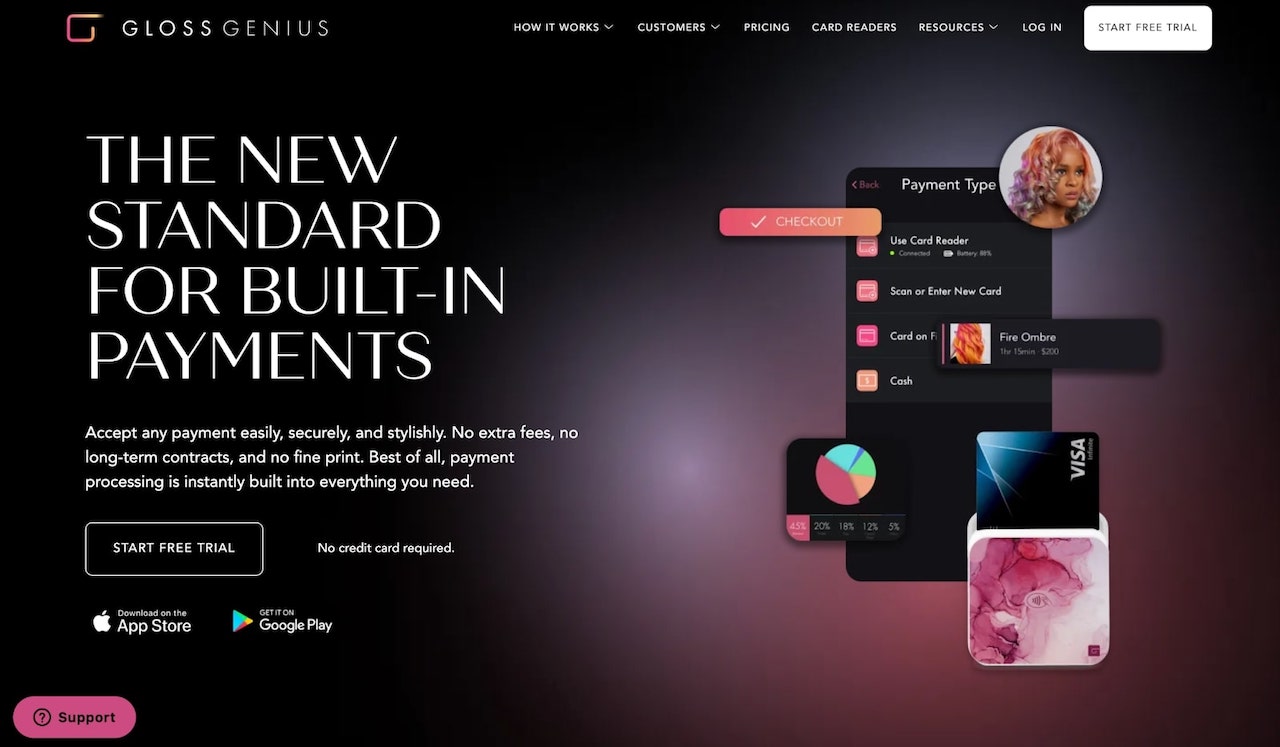
- Best for: Beauty, wellness, and health businesses wanting an all-in-one solution
- Pricing: Starting at $24/month, 2.6% flat transaction fee
GlossGenius is an all-in-one business management platform designed for beauty, wellness, and health businesses. GlossGenius has quickly become the standard for modern salon businesses looking to book more clients, accept payments, and get paid.
When your processing costs change depending on how a client pays, it's hard to budget—and easy to get hit with surprise charges. GlossGenius keeps pricing simple with a flat processing rate (2.6%) and no hidden fees for Tap to Pay, card-on-file, or manual entry.
On average, businesses report increased revenue within their first year on GlossGenius.
Besides just payment processing, GlossGenius can also help you with:
- Appointment scheduling
- Contactless payments
- Email and text reminders
- A website builder and mobile app for online bookings
- Rebooking and client review features
- Client and inventory management
- AI-powered marketing tools
GlossGenius pricing and fees
GlossGenius uses straightforward pricing that makes budgeting predictable:
- Standard plan: Starting at $24/month (billed annually) or from $28/month (billed monthly)
- Gold plan: From $48/month (billed annually) for staff support and advanced features
- Platinum plan: From $148/month (billed annually) for larger operations
- Processing fee: 2.6% flat rate on all transaction types
- No additional fees for Tap to Pay, card-on-file, or manual entry
This flat-rate structure means you pay the same percentage whether a client taps their card, you charge their card on file, or you manually enter their information. Some businesses report saving on processing fees by switching to GlossGenius Payments.
GlossGenius card readers and hardware
GlossGenius also provides several hardware options:
- Tap and Go: Ultra-portable and connects with your phone or iPad. Customizable to match your business' unique aesthetic.
- Pro Reader: Elevate your checkout experience with a sleek, client-facing display – plus touch screen, extended battery life, and desktop connectivity.
These card readers integrate seamlessly with GlossGenius' all-in-one booking and payment system, offering a professional, polished look.
They accept various payment types with a flat processing rate and no hidden fees for Tap to Pay, card-on-file, or manual entry. GlossGenius POS hardware devices are also EMV-compliant for security and integrate with salon management tools for bookings, payments, and analytics, streamlining salon operations and aiding in growth and efficiency.
Beauty business owners like Kayla Cleary of New Mood Hair Lab have embraced GlossGenius card readers as a way to elevate their checkout experience while matching their salon's aesthetic.
GlossGenius pros and cons
Pros:
- Flat rate of 2.6% with no hidden fees
- All-in-one platform combining payments, booking, and marketing
- Beautiful, customizable hardware that matches your brand
- Potential for higher tips compared to cash transactions
- Fast payout options, including free same-business-day payout transfers
- No-show safeguards, including deposits and card-on-file requirements
- AI-powered marketing and growth tools included
Cons:
- Focused specifically on beauty, wellness, and health businesses (not for other industries)
- Requires a monthly subscription (no free tier)
Best for
GlossGenius is ideal for:
- Beauty business owners who want professional tools without piecing together multiple platforms
- Growing salons ready to scale with staff management and advanced features
- Booth renters who need separate bank accounts while sharing a booking experience
- Any beauty, wellness, or health business that wants to earn more, save more, and run smarter
GlossGenius focuses on owned-brand growth tools (website, reviews, and marketing) rather than marketplace-based discovery.
Overall, GlossGenius is a strong choice for businesses that want to do more than just stay organized—it helps you earn more, save more, and run smarter. If you want to see the power of GlossGenius for yourself, be sure to start a free trial!
[CTA_MODULE]
2. Square
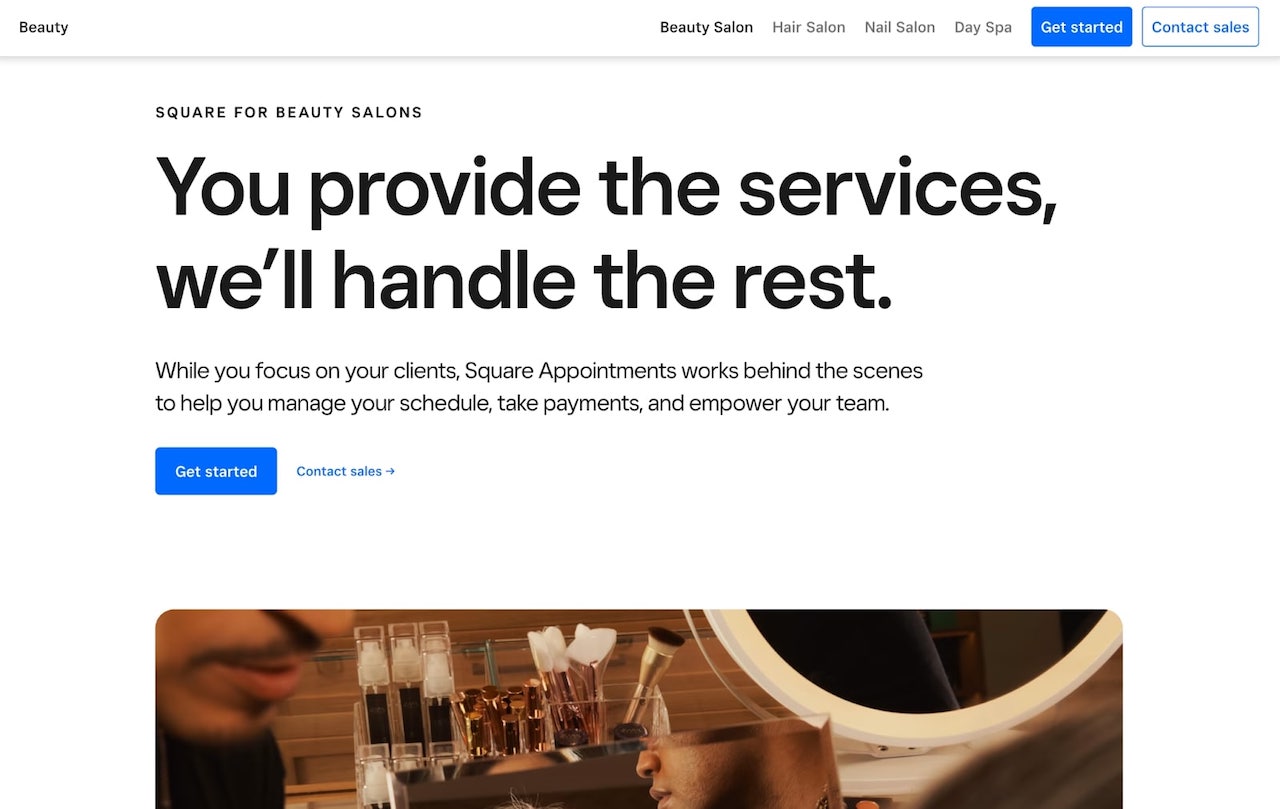
- Best for: Medium to large businesses that need a general-purpose POS and broad third-party integrations
- Pricing: Free option available; processing rates vary by transaction type
Square is a merchant services aggregator and payment processing platform designed to help small businesses accept payments. A number of local businesses use it, including cafes, salons, and restaurants.
Many salon businesses use Square for their payment processor because, just like with GlossGenius, they can also use it as an appointment scheduler that syncs with a calendar. Square also has various hardware options, including terminals and card readers, that allow salons and spas to accept payments via credit or debit cards.
Square pricing and fees
Square's fees vary by transaction type.
- Monthly cost: $0/month for the free tier, $49/month for Plus, $149/month for Premium
- Tap, dip, or swipe: 2.6% + 15¢ per transaction (U.S. pricing, Free plan)
- Keyed-in transactions: 3.5% + 15¢ per transaction (U.S. pricing)
- Online payments: 3.3% + 30¢ per transaction (U.S. pricing)
On smaller tickets, per-transaction fees can increase your effective rate compared to flat-rate pricing.
Square card readers and hardware
Square provides multiple hardware options:
- Square Reader: A small, portable card reader for magstripe and chip cards
- Square Stand: Turns your iPad into a full point-of-sale system
- Square Terminal: An all-in-one device with built-in receipt printer
- Square Register: A complete countertop system with customer-facing display
Square pros and cons
Pros:
- Free to start with no monthly fees on the basic plan
- Widely recognized and trusted brand
- Good for businesses that operate across multiple industries
- Extensive third-party app integrations
Cons:
- Higher per-transaction fees that add up over time
- Not designed specifically for salons
- Advanced features require paid upgrades
- Keyed-in transaction rate jumps to 3.5% + 15¢
Best for
Square can be a fit for medium to large businesses that need a general-purpose POS and broad third-party integrations. Compare total costs across your typical transaction types to estimate fees.
3. Stripe
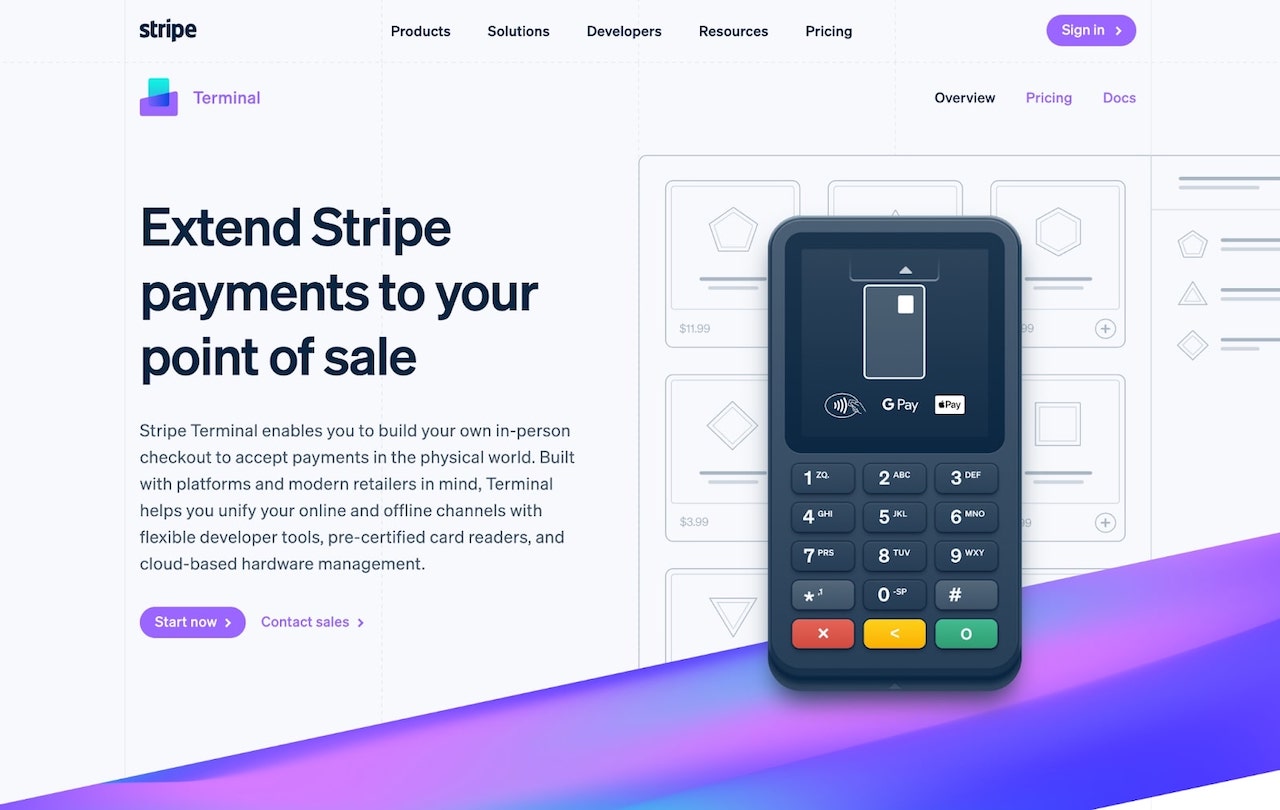
- Best for: Tech-savvy businesses that primarily need online payment processing or custom payment flows
- Pricing: Free to start; processing rates vary by transaction type
Stripe is a widely used online payment platform for accepting payments on websites and apps. Stripe is developer-focused and is often used for custom online payment integrations. If you don’t need website/app payments or custom development, it may be more than you need.
Stripe pricing and fees
Stripe rates vary by region.
- Monthly cost: $0/month for basic usage
- Online transactions: 2.9% + 30¢ per successful transaction (U.S. pricing)
- In-person transactions: 2.7% + 5¢ per successful transaction (U.S. pricing)
- Manually entered cards: Additional 0.5% on top of base rate
- International cards: Additional 1.5% (U.S. pricing)
- Tap to Pay authorization: Tap to Pay fees may apply depending on product and region.
Stripe hardware options
Stripe offers terminal hardware for in-person payments, such as Stripe Readers, Verifone devices, and BBPOS WisePOS E terminals.
Stripe pros and cons
Pros:
- Powerful API for developers and custom integrations
- Excellent for online payments and e-commerce
- Global payment support with multiple currencies
- No monthly fees for basic usage
Cons:
- Higher fees than salon-specific processors (2.9% + 30¢ online)
- No salon-specific features like booking integration
- Requires technical knowledge to set up properly
- No built-in appointment scheduling or client management
Best for
Stripe can be a good fit for tech-savvy businesses that primarily need online payment processing or custom payment flows.
4. StyleSeat

- Best for: Independent beauty business owners wanting marketplace discovery
- Pricing: $35/mo, 1.9%-2.6% processing fees; varies by transaction type
StyleSeat is a salon software platform designed for beauty and wellness businesses, including nail and hair salons. Just like GlossGenius, StyleSeat offers features such as appointment scheduling, client management, and a payment processing system.
StyleSeat pricing and fees
StyleSeat's pricing structure includes (rates vary by account and region):
- Monthly subscription: $35/month with all features included
- Card-present (Tap to Pay): 1.9%–2.5% + $0.30 per transaction (U.S. pricing)
- Card-on-file: 1.9%–2.6% + $0.30 per transaction (U.S. pricing)
StyleSeat offers instant deposits, which can help businesses manage cash flow.
StyleSeat hardware options
StyleSeat supports Tap to Pay on compatible smartphones, so you can accept contactless payments without buying extra hardware. For traditional card readers, check StyleSeat's current hardware offerings on their website.
StyleSeat pros and cons
Pros:
- Instant deposits available for quick cash flow access
- Marketplace exposure can help new clients discover you
- Beauty-focused platform with relevant features
- Straightforward monthly pricing
Cons:
- Marketplace shows competing businesses alongside yours
- Limited marketing tools compared to all-in-one platforms
- Per-transaction fees add up on smaller services
- Less control over your brand presentation in the marketplace
Best for
StyleSeat works well for independent beauty business owners who want marketplace exposure to attract new clients. If you need features such as a website builder, email and SMS marketing, and a mobile app, consider comparing StyleSeat with other options.
[CTA_MODULE]
5. Vagaro
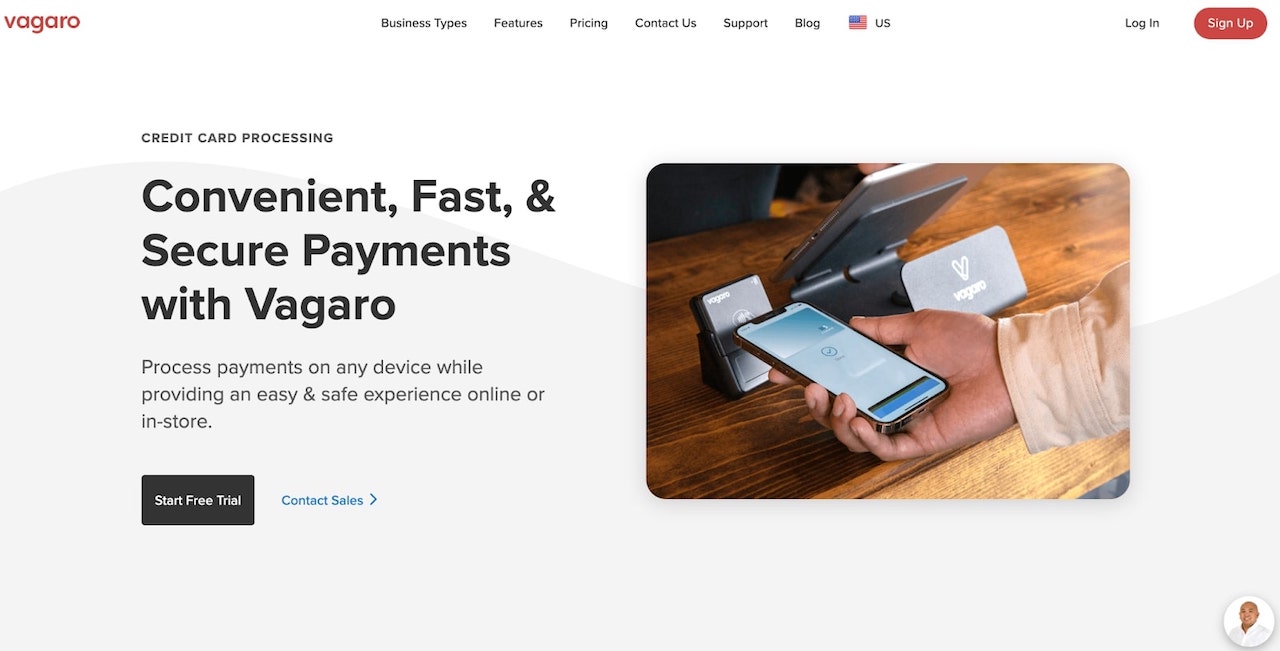
- Best for: Medium-sized salons with higher processing volume
- Pricing: $23.99/mo; processing rates vary based on volume
Last but not least, we have Vagaro – a marketplace and management platform for salons, spas, and fitness businesses with booking and payment features, but it uses a more complex fee structure.
Vagaro pricing and fees
Vagaro’s processing fees can vary by volume and transaction type, and additional fees may apply.
Small Merchants (less than $4,000/month):
- Card present: 2.6% + $0.10 per transaction, plus $0.06 for tap purchases
- Keyed-in: 3.5% + $0.19 per transaction
Large Merchants (more than $4,000/month):
- Card present: 2.29% + $0.19 per transaction, plus $0.06 for tap purchases
- Keyed-in: 3.5% + $0.19 per transaction (plus association fees)
- Monthly fee: $10.00
The tiered structure means your costs change as your business grows, making it harder to predict expenses compared to GlossGenius's flat rate.
Vagaro card readers and hardware
Vagaro provides EMV card readers that integrate with its platform and are compatible with phones, iPads, and desktop setups. Plus, checkout hardware for your register, mini-tablets, and cash drawers.
Vagaro pros and cons
Pros:
- Comprehensive features including payroll management (add-on)
- Marketplace can help with client discovery
- Lower rates available for high-volume businesses
- Wide range of business management tools
Cons:
- Complex fee structure that's hard to predict
- $10 monthly fee kicks in for larger merchants
- Marketplace shows competing businesses
- Additional $0.06 fee for tap transactions adds up
Best for
Vagaro works well for medium-sized salons processing over $4,000 monthly who can benefit from the lower large-merchant rates. However, if you're looking for simpler, more predictable pricing and access to a community of other beauty, wellness, and health business owners, GlossGenius might be a better choice in the long run.
Salon credit card processing fees compared
GlossGenius accepts all payment types – chip, tap, Apple Pay, Google Pay, Buy Now Pay Later, and card-on-file. You can also send Invoices to clients to let them prepay, pay in full, or settle balances after their appointment—all from their personal device.
Here's a side-by-side comparison of salon payment processing fees across all five processors:
Grow Your Business with Every Transaction with GlossGenius
GlossGenius is designed with beauty, wellness, and health businesses in mind. With GlossGenius dedicated spa and salon POS system, you’ll finally stop overpaying on processing fees—but we won’t just help you save. We’ll help you grow.
Our low, flat 2.6% rate (no matter how you take payments—Tap to Pay, card-on-file, or manual entry) means busy businesses can save thousands every year on fees. That’s real money back in your pocket to reinvest in your business.
Plus, with features like Invoicing and Buy Now Pay Later, your clients have even more options to pay.
Try GlossGenius free today for 14 days!
This information is provided for general educational purposes only. For legal, cybersecurity, or compliance advice specific to your business or situation, please consult a professional.
All prices and feature comparisons are as of March 2026. GlossGenius has no affiliation, sponsorship, or endorsement with the other companies mentioned in this article or their affiliates. All trademarks, logos, and brand names are used for identification purposes only and remain the property of their respective owners.
Gloss Tip: Before comparing processors side by side, calculate your average transaction size — a flat-rate processor like GlossGenius at 2.6% with no per-transaction fee will almost always cost less than a 2.6% + 15¢ model on smaller tickets like add-on services or product sales.
.png)
Join Our Genius Newsletter
Get the latest articles, inspiring how-to’s, and educational workbooks delivered to your inbox.
5 Best Credit Card Processors for Salons & Spas in 2026
The right credit card processor can mean the difference between losing revenue to hidden fees and no-shows—or running a streamlined business that protects every dollar. This guide compares the best credit card processors for salons in 2026, breaking down pricing structures, must-have features like booking integration and deposit collection, and which platforms actually deliver on their promises. Whether you're an independent stylist or managing a growing team, you'll find the insights you need to choose a processor that fits your business and keeps more money in your pocket.
Key takeaways
- The best credit card processors for salons (and other appointment-based businesses) combine low, transparent fees with booking integration and no-show protection
- GlossGenius offers a 2.6% flat rate with no hidden fees, while some competitors charge higher rates and/or add per-transaction fees.
- Look for processors that include deposits, rebooking prompts, and fast payouts to protect and grow revenue
- Salon-specific processors outperform generic options by integrating payments with scheduling, client management, and marketing
Being able to take payments from anywhere securely and efficiently is critical to the success of your salon business. From booking appointments to billing clients, there are several moving parts to manage as an owner.
There are many platforms and services that help business owners set up the administrative side of their business. In this article, we'll go over how to properly accept credit card payments as a salon owner and the best credit card processors currently available.
Try GlossGenius free for 14 days!
Quick comparison: Top salon credit card processors at a glance
Here's how the top 5 salon credit card processors compare on pricing, fees, and features:
What is salon credit card processing?
Salon credit card processing refers to the electronic payment system that allows beauty, wellness, and health businesses to accept credit and debit card payments from their clients. This system usually involves software and hardware, such as a physical credit card reader.
Credit card processing for salons has become essential because it’s a secure, efficient way for clients to pay. For salon owners, it also simplifies collecting digital payments and syncing income with expense tracking.
When hidden fees quietly drain your revenue—and no-shows wipe out hours you can't get back—the "right" payment processor isn't optional. GlossGenius pairs transparent pricing with deposits and rebooking tools designed to reduce no-shows.
So making sure you find the right payment processing solution is critical for the overall financial health of your business.
How to process card payments in a salon
Every salon or spa owner must know how to accept payments from clients. But the process of starting can feel overwhelming at first. The good news is there are plenty of options that simplify accepting and collecting payments.
Here are the steps for how to process card payments in a salon:
- Choose a payment processor: Before you start accepting payments, you need to set up a payment processor so you can stay organized with your finances. Most clients want to pay with a card instead of cash, so it's important to find a tool with easy checkout options.
- Get a physical card machine with NFC technology: Having a physical card reader that syncs with your payment processor is how you'll accept credit and debit cards in person. However, you want to find a card reader with NFC technology so you can enable "tap to pay" options like Google Pay or Apple Pay.
- Have a way to deposit funds into your bank account: Fast payout options can save the day when you can't afford to wait to access your money. Slow payouts create unnecessary cash-flow stress.
- Make sure you have fraud and no-show protection: Before you start accepting payments, make sure your payment processor is secure and PCI compliant. You also want to make sure you have a system in place to collect deposits to eliminate no-show clients. Again, a platform like GlossGenius includes these features as part of the core product.
As you can see, there are a few things you need to consider when processing credit card payments at your salon. If you pick the right salon software, you won't have to worry about all the nuances of accepting payments.
Essential features to look for in salon payment processing
The most important features in salon credit card processing are low, transparent fees, booking integration, and no-show protection through deposits and card-on-file requirements. Here's what to prioritize when evaluating your options:
- Low, flat processing fees that don't change based on how you accept payment
- Booking and calendar integration so payments sync automatically with appointments
- No-show protection through deposits and card-on-file requirements
- Multiple hardware options including portable card readers and countertop terminals
- Fast payouts including same-day or instant deposit options
- Tip prompts integrated into the checkout experience
- Buy Now, Pay Later options for higher-ticket services
- Reporting and analytics to track revenue and identify trends
Payment processing fees and pricing transparency
Salon payment processing fees typically range from 2.5% to 3.5% per transaction, but the structure matters as much as the rate. Some processors charge a flat rate on all transactions, while others add per-transaction fees that increase your costs on smaller purchases.
Watch out for hidden fees like monthly minimums, PCI compliance charges, and different rates for keyed-in versus swiped transactions. A processor advertising 2.6% might actually cost you more than one advertising 2.9% if the first one adds 15-30 cents per transaction plus extra fees for manual entry.
Integration with booking and client management
Standalone payment processors fall short for salons because they don't connect to your booking system. When payments and scheduling live in different places, you end up stuck reconciling transactions, chasing deposits, and doing admin after hours.
GlossGenius integrates payments with booking, client management, and marketing—so deposits are collected automatically at booking, payment history stays in one place, and rebooking prompts show up at checkout.
No-show and cancellation protection
No-shows and last-minute cancellations can devastate your revenue. The best salon payment processors offer protection through:
- Deposits required at booking that are non-refundable within your cancellation window
- Card-on-file requirements that let you charge cancellation fees when needed
- Automated reminders that reduce forgotten appointments
- Cancellation policies that are clearly communicated during booking
Businesses that use deposits can see an increase in successful appointments, making this feature important for protecting your income.
How to choose the best credit card processor for your salon
Choose the best credit card processor for your salon by evaluating total fees, integration with your booking system, hardware requirements, and features that match your business size. The right choice depends on your specific situation.
Questions to ask before choosing
Before committing to a payment processor, work through this checklist:
- What are the total fees including monthly costs, per-transaction rates, and any hidden charges?
- Does it integrate with booking and client management, or is it payments-only?
- What hardware is required, and what does it cost?
- How quickly can I access my funds after a transaction?
- Does it include no-show protection features like deposits and card-on-file?
- Is it designed for salons, or is it a general-purpose processor?
- What support is available if I have issues?
Matching processors to your salon type
Different salon setups have different needs:
Independent beauty business owners can benefit from all-in-one platforms like GlossGenius that combine payments with booking, marketing, and client management in one affordable package. The flat-rate pricing is predictable, and you don't need to piece together multiple tools.
Multi-staff salons need processors that handle multiple calendars, staff permissions, and potentially commission tracking. Prioritize platforms that offer staff management as standard.
Booth renters need the ability to maintain their own client relationships and payment accounts while potentially integrating with a shared salon booking system. GlossGenius supports separate bank accounts for booth rental staff while maintaining a collective booking experience.
Top picks for credit card processors for salons:
Here are our top picks for credit card processors for salons:
Next, we’ll break down each option.
1. GlossGenius
- Best for: Beauty, wellness, and health businesses wanting an all-in-one solution
- Pricing: Starting at $24/month, 2.6% flat transaction fee
GlossGenius is an all-in-one business management platform designed for beauty, wellness, and health businesses. GlossGenius has quickly become the standard for modern salon businesses looking to book more clients, accept payments, and get paid.
When your processing costs change depending on how a client pays, it's hard to budget—and easy to get hit with surprise charges. GlossGenius keeps pricing simple with a flat processing rate (2.6%) and no hidden fees for Tap to Pay, card-on-file, or manual entry.
On average, businesses report increased revenue within their first year on GlossGenius.
Besides just payment processing, GlossGenius can also help you with:
- Appointment scheduling
- Contactless payments
- Email and text reminders
- A website builder and mobile app for online bookings
- Rebooking and client review features
- Client and inventory management
- AI-powered marketing tools
GlossGenius pricing and fees
GlossGenius uses straightforward pricing that makes budgeting predictable:
- Standard plan: Starting at $24/month (billed annually) or from $28/month (billed monthly)
- Gold plan: From $48/month (billed annually) for staff support and advanced features
- Platinum plan: From $148/month (billed annually) for larger operations
- Processing fee: 2.6% flat rate on all transaction types
- No additional fees for Tap to Pay, card-on-file, or manual entry
This flat-rate structure means you pay the same percentage whether a client taps their card, you charge their card on file, or you manually enter their information. Some businesses report saving on processing fees by switching to GlossGenius Payments.
GlossGenius card readers and hardware
GlossGenius also provides several hardware options:
- Tap and Go: Ultra-portable and connects with your phone or iPad. Customizable to match your business' unique aesthetic.
- Pro Reader: Elevate your checkout experience with a sleek, client-facing display – plus touch screen, extended battery life, and desktop connectivity.
These card readers integrate seamlessly with GlossGenius' all-in-one booking and payment system, offering a professional, polished look.
They accept various payment types with a flat processing rate and no hidden fees for Tap to Pay, card-on-file, or manual entry. GlossGenius POS hardware devices are also EMV-compliant for security and integrate with salon management tools for bookings, payments, and analytics, streamlining salon operations and aiding in growth and efficiency.
Beauty business owners like Kayla Cleary of New Mood Hair Lab have embraced GlossGenius card readers as a way to elevate their checkout experience while matching their salon's aesthetic.
GlossGenius pros and cons
Pros:
- Flat rate of 2.6% with no hidden fees
- All-in-one platform combining payments, booking, and marketing
- Beautiful, customizable hardware that matches your brand
- Potential for higher tips compared to cash transactions
- Fast payout options, including free same-business-day payout transfers
- No-show safeguards, including deposits and card-on-file requirements
- AI-powered marketing and growth tools included
Cons:
- Focused specifically on beauty, wellness, and health businesses (not for other industries)
- Requires a monthly subscription (no free tier)
Best for
GlossGenius is ideal for:
- Beauty business owners who want professional tools without piecing together multiple platforms
- Growing salons ready to scale with staff management and advanced features
- Booth renters who need separate bank accounts while sharing a booking experience
- Any beauty, wellness, or health business that wants to earn more, save more, and run smarter
GlossGenius focuses on owned-brand growth tools (website, reviews, and marketing) rather than marketplace-based discovery.
Overall, GlossGenius is a strong choice for businesses that want to do more than just stay organized—it helps you earn more, save more, and run smarter. If you want to see the power of GlossGenius for yourself, be sure to start a free trial!
[CTA_MODULE]
2. Square
- Best for: Medium to large businesses that need a general-purpose POS and broad third-party integrations
- Pricing: Free option available; processing rates vary by transaction type
Square is a merchant services aggregator and payment processing platform designed to help small businesses accept payments. A number of local businesses use it, including cafes, salons, and restaurants.
Many salon businesses use Square for their payment processor because, just like with GlossGenius, they can also use it as an appointment scheduler that syncs with a calendar. Square also has various hardware options, including terminals and card readers, that allow salons and spas to accept payments via credit or debit cards.
Square pricing and fees
Square's fees vary by transaction type.
- Monthly cost: $0/month for the free tier, $49/month for Plus, $149/month for Premium
- Tap, dip, or swipe: 2.6% + 15¢ per transaction (U.S. pricing, Free plan)
- Keyed-in transactions: 3.5% + 15¢ per transaction (U.S. pricing)
- Online payments: 3.3% + 30¢ per transaction (U.S. pricing)
On smaller tickets, per-transaction fees can increase your effective rate compared to flat-rate pricing.
Square card readers and hardware
Square provides multiple hardware options:
- Square Reader: A small, portable card reader for magstripe and chip cards
- Square Stand: Turns your iPad into a full point-of-sale system
- Square Terminal: An all-in-one device with built-in receipt printer
- Square Register: A complete countertop system with customer-facing display
Square pros and cons
Pros:
- Free to start with no monthly fees on the basic plan
- Widely recognized and trusted brand
- Good for businesses that operate across multiple industries
- Extensive third-party app integrations
Cons:
- Higher per-transaction fees that add up over time
- Not designed specifically for salons
- Advanced features require paid upgrades
- Keyed-in transaction rate jumps to 3.5% + 15¢
Best for
Square can be a fit for medium to large businesses that need a general-purpose POS and broad third-party integrations. Compare total costs across your typical transaction types to estimate fees.
3. Stripe
- Best for: Tech-savvy businesses that primarily need online payment processing or custom payment flows
- Pricing: Free to start; processing rates vary by transaction type
Stripe is a widely used online payment platform for accepting payments on websites and apps. Stripe is developer-focused and is often used for custom online payment integrations. If you don’t need website/app payments or custom development, it may be more than you need.
Stripe pricing and fees
Stripe rates vary by region.
- Monthly cost: $0/month for basic usage
- Online transactions: 2.9% + 30¢ per successful transaction (U.S. pricing)
- In-person transactions: 2.7% + 5¢ per successful transaction (U.S. pricing)
- Manually entered cards: Additional 0.5% on top of base rate
- International cards: Additional 1.5% (U.S. pricing)
- Tap to Pay authorization: Tap to Pay fees may apply depending on product and region.
Stripe hardware options
Stripe offers terminal hardware for in-person payments, such as Stripe Readers, Verifone devices, and BBPOS WisePOS E terminals.
Stripe pros and cons
Pros:
- Powerful API for developers and custom integrations
- Excellent for online payments and e-commerce
- Global payment support with multiple currencies
- No monthly fees for basic usage
Cons:
- Higher fees than salon-specific processors (2.9% + 30¢ online)
- No salon-specific features like booking integration
- Requires technical knowledge to set up properly
- No built-in appointment scheduling or client management
Best for
Stripe can be a good fit for tech-savvy businesses that primarily need online payment processing or custom payment flows.
4. StyleSeat
- Best for: Independent beauty business owners wanting marketplace discovery
- Pricing: $35/mo, 1.9%-2.6% processing fees; varies by transaction type
StyleSeat is a salon software platform designed for beauty and wellness businesses, including nail and hair salons. Just like GlossGenius, StyleSeat offers features such as appointment scheduling, client management, and a payment processing system.
StyleSeat pricing and fees
StyleSeat's pricing structure includes (rates vary by account and region):
- Monthly subscription: $35/month with all features included
- Card-present (Tap to Pay): 1.9%–2.5% + $0.30 per transaction (U.S. pricing)
- Card-on-file: 1.9%–2.6% + $0.30 per transaction (U.S. pricing)
StyleSeat offers instant deposits, which can help businesses manage cash flow.
StyleSeat hardware options
StyleSeat supports Tap to Pay on compatible smartphones, so you can accept contactless payments without buying extra hardware. For traditional card readers, check StyleSeat's current hardware offerings on their website.
StyleSeat pros and cons
Pros:
- Instant deposits available for quick cash flow access
- Marketplace exposure can help new clients discover you
- Beauty-focused platform with relevant features
- Straightforward monthly pricing
Cons:
- Marketplace shows competing businesses alongside yours
- Limited marketing tools compared to all-in-one platforms
- Per-transaction fees add up on smaller services
- Less control over your brand presentation in the marketplace
Best for
StyleSeat works well for independent beauty business owners who want marketplace exposure to attract new clients. If you need features such as a website builder, email and SMS marketing, and a mobile app, consider comparing StyleSeat with other options.
[CTA_MODULE]
5. Vagaro
- Best for: Medium-sized salons with higher processing volume
- Pricing: $23.99/mo; processing rates vary based on volume
Last but not least, we have Vagaro – a marketplace and management platform for salons, spas, and fitness businesses with booking and payment features, but it uses a more complex fee structure.
Vagaro pricing and fees
Vagaro’s processing fees can vary by volume and transaction type, and additional fees may apply.
Small Merchants (less than $4,000/month):
- Card present: 2.6% + $0.10 per transaction, plus $0.06 for tap purchases
- Keyed-in: 3.5% + $0.19 per transaction
Large Merchants (more than $4,000/month):
- Card present: 2.29% + $0.19 per transaction, plus $0.06 for tap purchases
- Keyed-in: 3.5% + $0.19 per transaction (plus association fees)
- Monthly fee: $10.00
The tiered structure means your costs change as your business grows, making it harder to predict expenses compared to GlossGenius's flat rate.
Vagaro card readers and hardware
Vagaro provides EMV card readers that integrate with its platform and are compatible with phones, iPads, and desktop setups. Plus, checkout hardware for your register, mini-tablets, and cash drawers.
Vagaro pros and cons
Pros:
- Comprehensive features including payroll management (add-on)
- Marketplace can help with client discovery
- Lower rates available for high-volume businesses
- Wide range of business management tools
Cons:
- Complex fee structure that's hard to predict
- $10 monthly fee kicks in for larger merchants
- Marketplace shows competing businesses
- Additional $0.06 fee for tap transactions adds up
Best for
Vagaro works well for medium-sized salons processing over $4,000 monthly who can benefit from the lower large-merchant rates. However, if you're looking for simpler, more predictable pricing and access to a community of other beauty, wellness, and health business owners, GlossGenius might be a better choice in the long run.
Salon credit card processing fees compared
GlossGenius accepts all payment types – chip, tap, Apple Pay, Google Pay, Buy Now Pay Later, and card-on-file. You can also send Invoices to clients to let them prepay, pay in full, or settle balances after their appointment—all from their personal device.
Here's a side-by-side comparison of salon payment processing fees across all five processors:
Grow Your Business with Every Transaction with GlossGenius
GlossGenius is designed with beauty, wellness, and health businesses in mind. With GlossGenius dedicated spa and salon POS system, you’ll finally stop overpaying on processing fees—but we won’t just help you save. We’ll help you grow.
Our low, flat 2.6% rate (no matter how you take payments—Tap to Pay, card-on-file, or manual entry) means busy businesses can save thousands every year on fees. That’s real money back in your pocket to reinvest in your business.
Plus, with features like Invoicing and Buy Now Pay Later, your clients have even more options to pay.
Try GlossGenius free today for 14 days!
This information is provided for general educational purposes only. For legal, cybersecurity, or compliance advice specific to your business or situation, please consult a professional.
All prices and feature comparisons are as of March 2026. GlossGenius has no affiliation, sponsorship, or endorsement with the other companies mentioned in this article or their affiliates. All trademarks, logos, and brand names are used for identification purposes only and remain the property of their respective owners.
Download Now
Gloss Tip: Before comparing processors side by side, calculate your average transaction size — a flat-rate processor like GlossGenius at 2.6% with no per-transaction fee will almost always cost less than a 2.6% + 15¢ model on smaller tickets like add-on services or product sales.
Join Our Genius Newsletter
Get the latest articles, inspiring how-to’s, and educational workbooks delivered to your inbox.


